I run the pages I built with Drupal through Google PageSpeed Insights and check the scores.
Benchmark.
Google provides a publicly available tool for assessing whether a website's structure is sound and for identifying display performance issues. I use it here to run a performance evaluation on the pages I built with Drupal and the Bootstrap5 theme.
PageSpeed Insights -> https://pagespeed.web.dev
1. PageSpeed Insights.
-- "PageSpeed Insights gives you reports on the real-world performance of pages for mobile devices and desktop computers, and shows you how those pages can be improved." --
From PageSpeed Insights
- "Scores are classified as 'Good,' 'Medium,' or 'Low.' This calculation is made on the assumption that the developer is not considering changes to the appearance or functionality of the page."
- "Good: The page has performance best practices applied to the greatest extent possible, with little room for optimization. The page score is 80 or above."
A score of 80 or above is considered good.
I'll now run my pages through PageSpeed Insights and see what scores they get.
1-1. Pages Used for Testing.
I prepare two types of pages for the test.
- A long-form, text-only page with substantial volume
- A page that uses images, with a higher image count
1. For the text-only page, I use #C08 Setting Up the Contact Form and SES. It includes long-form content and multiple tables, which makes it a good candidate for this test.
2. For the page with images, I use #L17 Leica SL2-S. It includes four images, three of which are large portrait-orientation shots, making it well suited for this test.
I run both pages through PageSpeed Insights.
Results are shown below.
Text-only page (mobile)
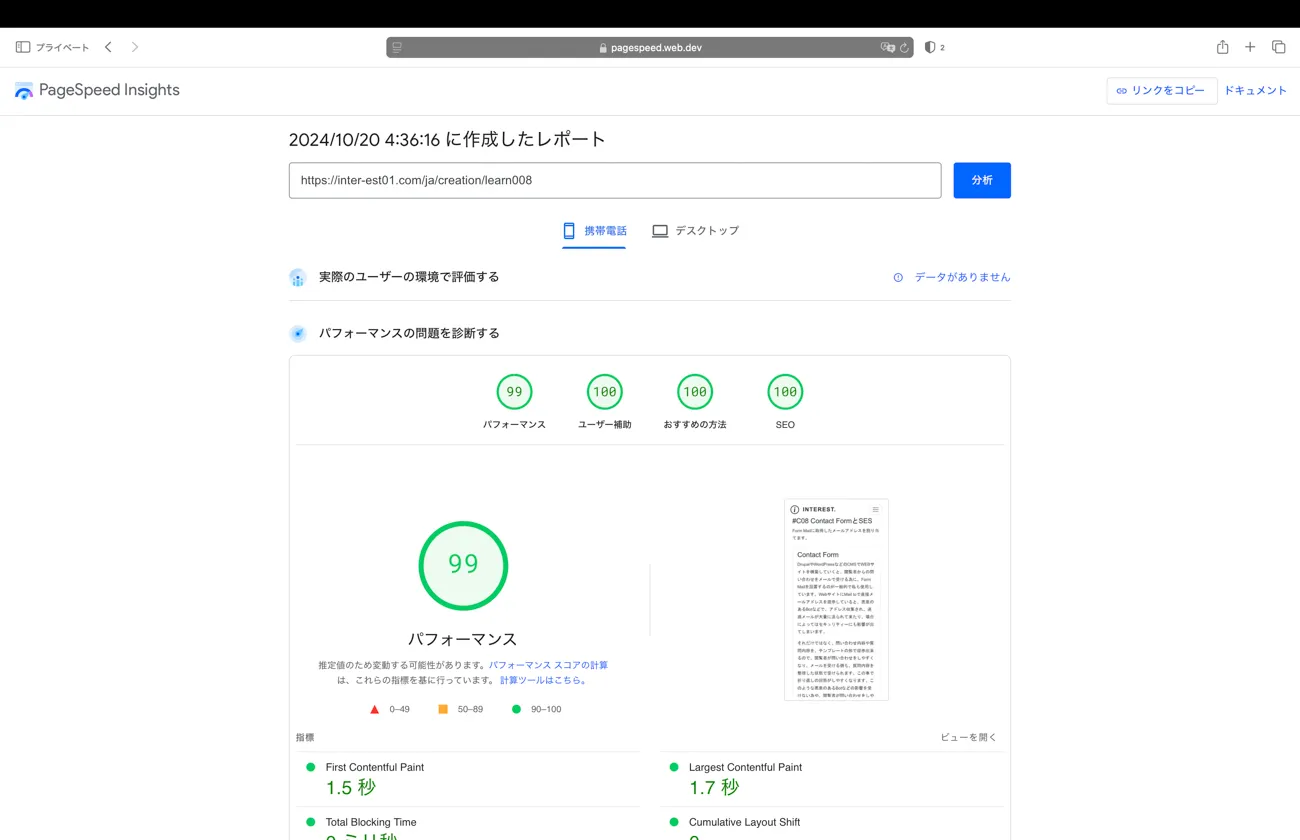
Text-only page (desktop)
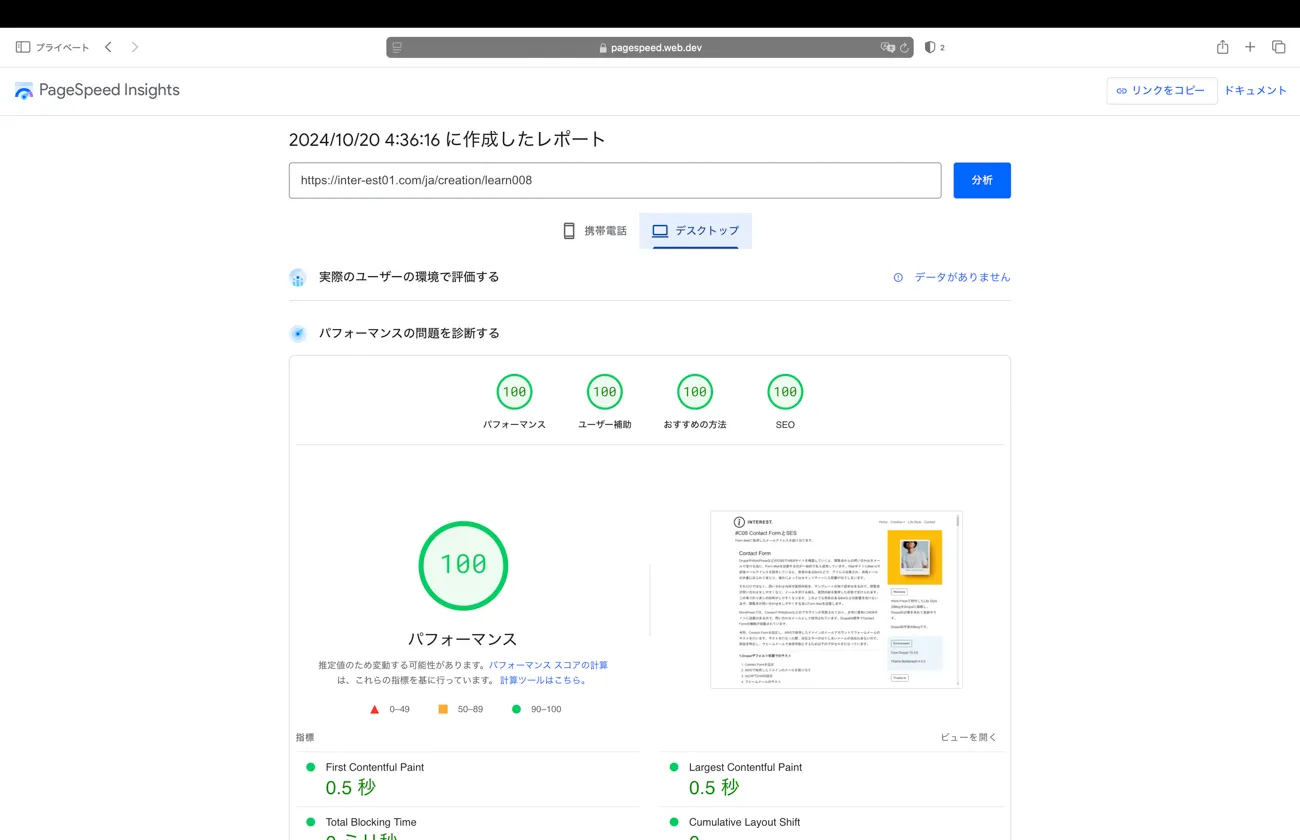
Page with images (mobile)
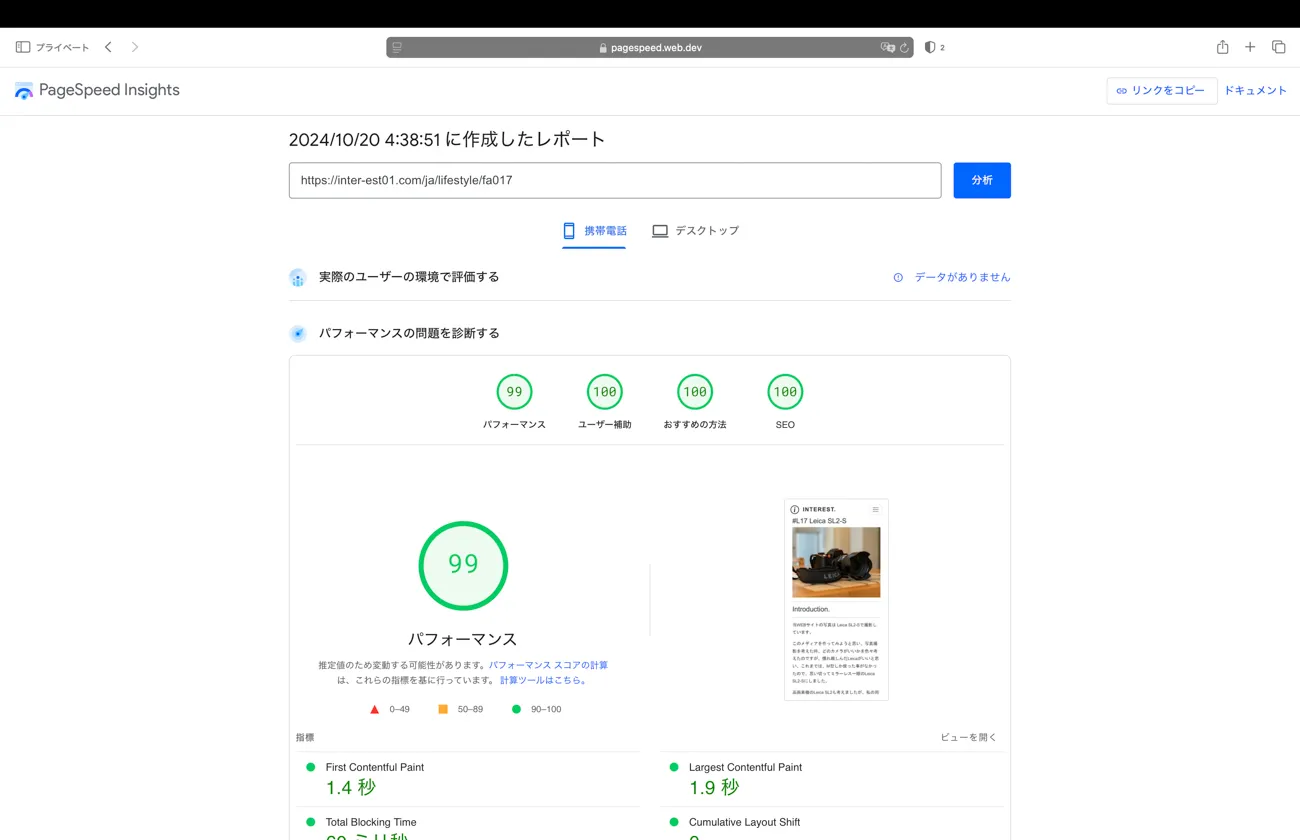
Page with images (desktop)
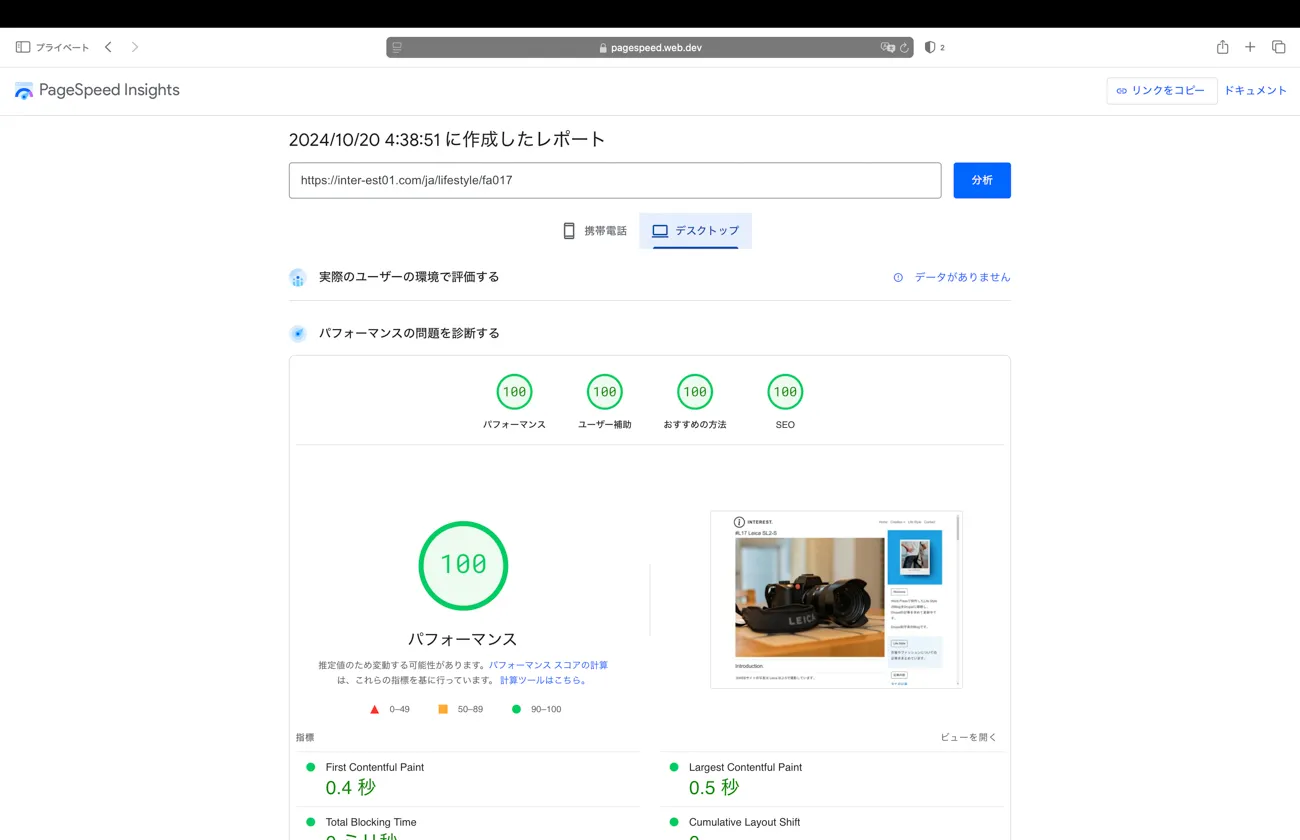
Image 1: text-only, mobile. Image 2: text-only, desktop. Image 3: with images, mobile. Image 4: with images, desktop.
1-2. Results.
Text-only — mobile
- Performance // 99
- Accessibility // 100
- Best Practices // 100
- SEO // 100
Text-only — desktop
- Performance // 100
- Accessibility // 100
- Best Practices // 100
- SEO // 100
With images — mobile
- Performance // 99
- Accessibility // 100
- Best Practices // 100
- SEO // 100
With images — desktop
- Performance // 100
- Accessibility // 100
- Best Practices // 100
- SEO // 100
Long-form, text-only page
- Mobile: 399/400
- Desktop: 400/400
Page with images
- Mobile: 399/400
- Desktop: 400/400
— scores well above what I expected.
1-3. Analysis.
PageSpeed Insights describes 80 or above as Good, with little room left for optimization. These scores give a clear picture of why Drupal is said to be strong on SEO. They also demonstrate just how capable Drupal's rendering performance and structural optimization are.
Drupal is running close to default configuration, and caching is disabled on both Drupal and AWS for these results. The site is still new with very little traffic, and the content library is small — though not completely empty, with around 30 articles and roughly 30 listing pages in place.
When you run WordPress pages through the same test, desktop scores come in reasonably well, but getting a mobile performance score above 80 on a page with images is genuinely difficult. The scores here are excellent by comparison.
What produced these scores isn't Drupal alone — using the Bootstrap5 theme is a significant factor. Bootstrap's founding Mobile First philosophy optimizes the structure of pages built with it, and the responsive elements are composed in a way that doesn't impede page rendering.
PageSpeed Insights also checks Accessibility and SEO — covering page structure rules and similar considerations — and clearing all of those categories is further evidence of how solid Drupal's baseline configuration is.
Conclude.
The results exceeded my expectations. A website built with Drupal and the Bootstrap5 theme has been assessed by Google — a rigorous, independent third-party evaluator — and awarded the highest possible score.
These scores are also partly a result of using Drupal and Bootstrap5 close to their default settings, with pages built from the minimum necessary elements. The non-Performance scores also reflect how pages are constructed and elements like Metatag, so I'm hoping to cover that side of things in a separate article.
PageSpeed Insights doesn't evaluate the quality of content, so a high score here doesn't directly translate to SEO success — but it is one of the criteria Google uses when systematically assessing websites, so scoring well is far from meaningless.
The original purpose of PageSpeed Insights is to publish a baseline standard for websites worth indexing and ranking in Google Search, and to suggest what needs fixing when that standard isn't met. In this case the scores are high and there's nothing that needs correcting — but if scores were low and issues were present, working through the suggestions shown in the guide would bring them up.
This website isn't commercial and I'm not aiming for ad revenue, so I don't plan to pursue SEO aggressively — but having a website assessed by Google, the giant tech company behind the world's search-driven information system, and receiving a result that says the content is worth indexing and presenting to users: as someone running a website, that's not something I take lightly. It's genuinely gratifying.
The conclusion of this article is that the quality of the Drupal and Bootstrap5 baseline configuration has been rigorously validated by an independent third party.
Next, I'll put together an overview of the Drupal admin interface to help make sense of how Drupal works.